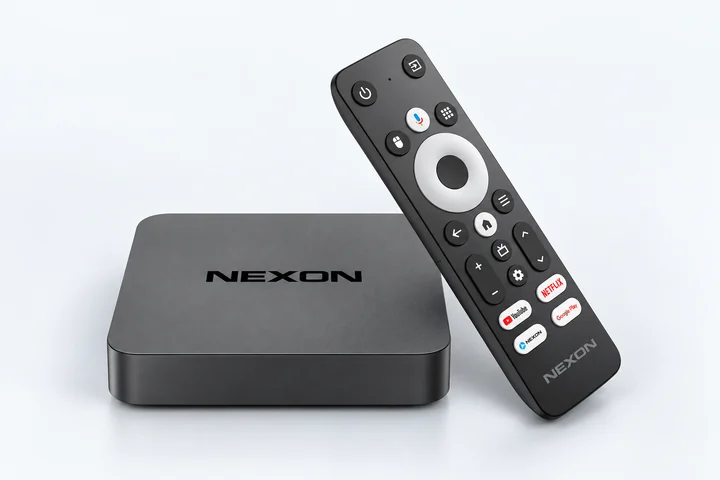
NEXON Player
NEXON Vision este integrat în firmware și pornește automat. Aveți nevoie doar de alimentare, internet prin LAN și codul de pe cutie, fără monitor
Conexiuni audio
HDMIAVS/PDIF
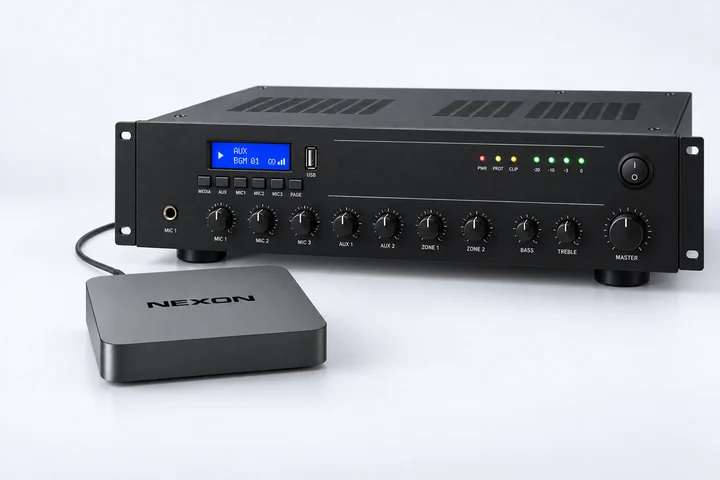
NEXON Player are porturi HDMI, AV și S/PDIF. Sunt incluse adaptoare de la AV la AUX (3,5 mm) și RCA (stereo). Alegeți conexiunea potrivită intrării amplificatorului sau boxelor active
Pornire fără monitor
Conectați adaptorul de alimentare inclus la priză și playerul prin cablu Ethernet la un port LAN al routerului conectat la internet.
Conectați ieșirea audio a playerului la intrarea corespunzătoare a amplificatorului sau boxelor active. Folosiți adaptorul AUX sau RCA inclus, dacă este necesar.
Înregistrați-vă sau autentificați-vă. În Ecrane → Adăugare ecran, introduceți codul de 9 cifre de pe cutia playerului.
Deschideți contul
Încărcați audio și porniți redarea
Încărcați fișiere audio în cont. În Ecrane, selectați dispozitivul conectat, apăsați Schimbă conținutul și atribuiți-i conținut audio. Puteți reda imediat un singur fișier sau puteți crea o listă de redare din mai multe fișiere.
Verificați dacă sunetul este redat prin boxele conectate.
Dispozitive și stickuri Android TV / Google TV
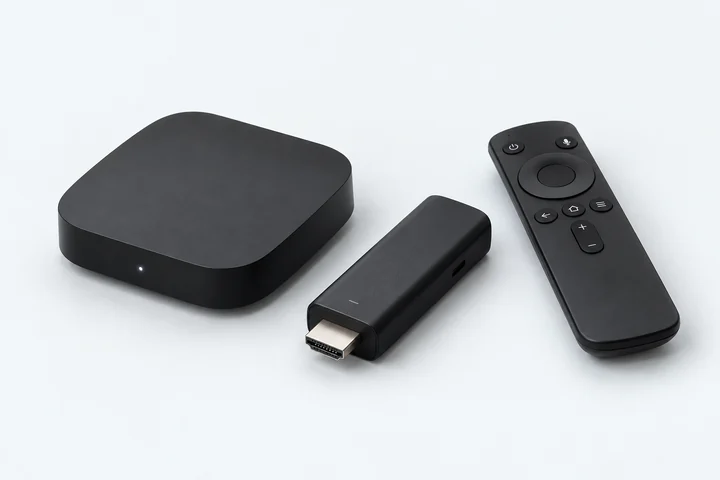
Este potrivit orice TV box sau stick cu Android TV ori Google TV, indiferent de marcă sau certificare. Folosiți un dispozitiv pe care îl aveți deja sau cumpărați unul dintr-un magazin local
De exemplu: Xiaomi Mi Box, Xiaomi TV Stick, Homatics, Strong sau orice alte modele
* Amazon Fire TV: verificați compatibilitatea modelului cu NEXON Vision și instalarea APK. Pe Fire OS căutați Downloader în Amazon Appstore, nu în Google Play. Vega OS nu acceptă APK Android
Conexiuni audio
Opțiuni: ieșire audio de 3,5 mm; ieșire AV cu un cablu adaptor potrivit pentru AUX sau RCA; HDMI cu extractor audio HDMI → 3,5 mm. Pentru un dispozitiv de la alt producător, alegeți separat adaptorul în funcție de porturi și de intrarea sistemului audio
Conectați mai întâi un televizor sau monitor
Conectați playerul sau TV stick-ul la portul HDMI al televizorului ori monitorului și selectați acea intrare.
Conectați adaptorul de alimentare inclus la priză, nu la portul USB al televizorului.
Conectați playerul la internet prin Wi-Fi sau Ethernet, dacă este disponibil.
Instalați NEXON Vision
Opțiunea 1 — prin Downloader
Pe player, deschideți Google Play, autentificați-vă și instalați Downloader by AFTVnews.
Deschideți Downloader și introduceți codul de mai jos sau get.nexon.vision.
Când Android solicită, permiteți Downloader să instaleze aplicații din această sursă. Instalați și deschideți NEXON Vision.
Cod de instalare pentru Downloader8647509
Acest cod este doar pentru descărcarea aplicației. Pentru a adăuga un ecran în cont, folosiți alt cod — cel afișat de NEXON Vision pe ecranul dvs.
Varianta 2 — de pe un stick USB
Dacă playerul acceptă memorii USB, descărcați APK-ul pe un computer și copiați-l pe o memorie.
Conectați memoria la player. Deschideți APK-ul într-un manager de fișiere, permiteți instalarea din această sursă, apoi instalați și deschideți aplicația.
Descărcați APKCea mai recentă versiune publică a aplicației
Adăugați ecranul în cont
După instalare, deschideți NEXON Vision pe dispozitiv. Pe ecran apare un cod de asociere de 9 cifre.
Înregistrați-vă sau autentificați-vă. Deschideți Ecrane → Adăugare ecran și introduceți acest cod.
Conectați ieșirea audio a dispozitivului la amplificator sau boxe active folosind conexiunea aleasă. Apoi atribuiți audio conform instrucțiunilor de mai jos.
Deschideți contul
Încărcați audio și porniți redarea
Încărcați fișiere audio în cont. În Ecrane, selectați dispozitivul conectat, apăsați Schimbă conținutul și atribuiți-i conținut audio. Puteți reda imediat un singur fișier sau puteți crea o listă de redare din mai multe fișiere.
Verificați sunetul în boxe. După configurarea dispozitivului de la alt producător, deconectați televizorul sau monitorul, păstrând alimentarea, internetul și conexiunea audio. Verificați dacă redarea continuă fără ecran.
Conectați boxele pasive printr-un amplificator. Ieșirea audio a playerului nu înlocuiește un amplificator de putere