Audio files and playlists
Upload MP3, WAV, FLAC, M4A, AAC, OGG and other common formats. The server prepares files for playback; you choose playlist contents and order.
Background music, promotional messages and important announcements in one system. Manage the sound of one venue or your entire network remotely.
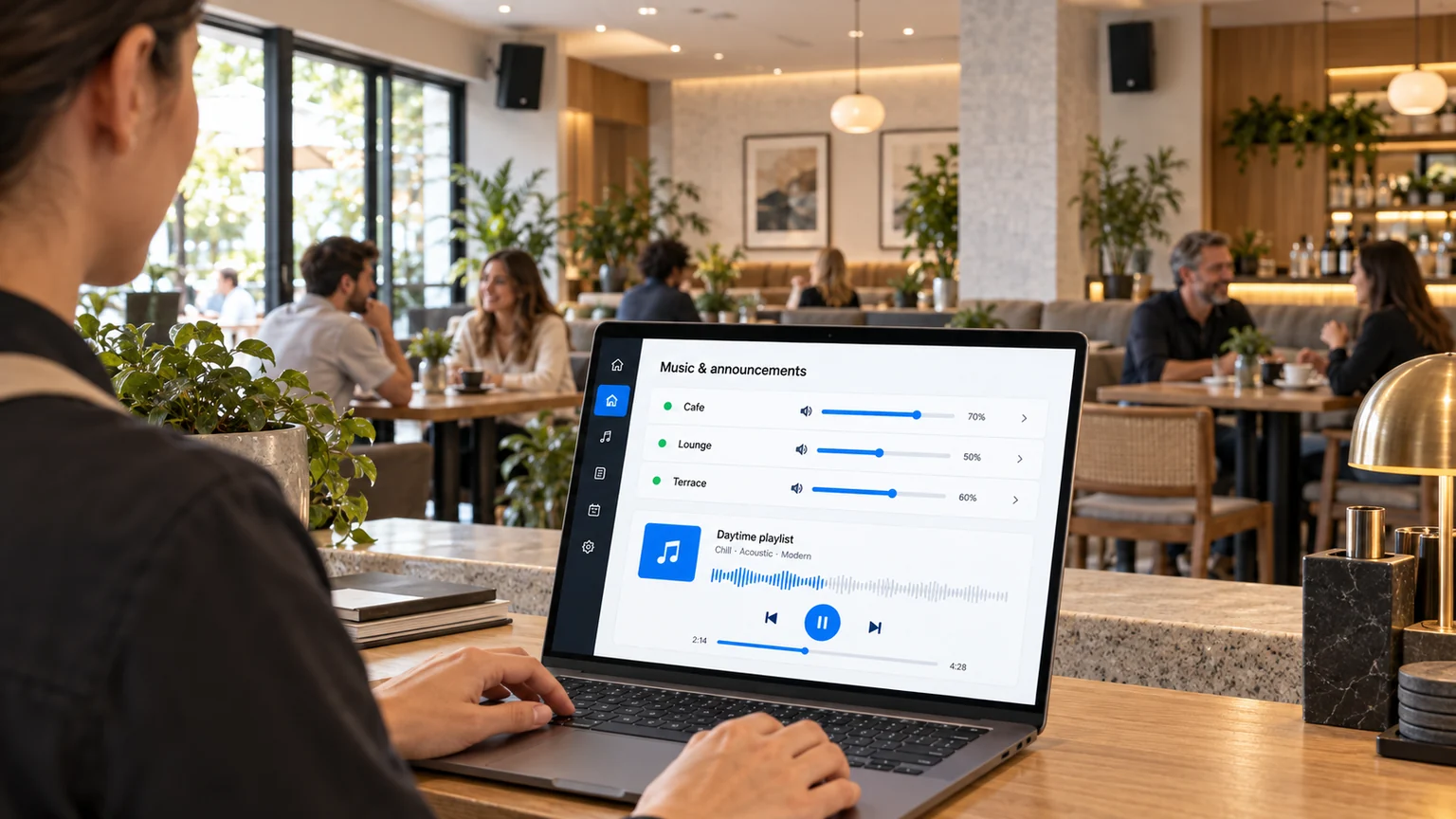
Set the atmosphere with music, promote your offers and share important information on time. Manage sources, schedules and audio zones in one NEXON Vision dashboard.
Upload MP3, WAV, FLAC, M4A, AAC, OGG and other common formats. The server prepares files for playback; you choose playlist contents and order.
Use internet radio, your own audio streams and YouTube broadcasts. Combine online sources with prepared playlists.
Set dates, weekdays and times of day. Morning, daytime and evening music changes automatically.
Add individual announcements or whole blocks. Configure frequency, plays per period and recording rotation.
Different music in the dining room, terrace and spa. Each zone has its own player, scenario and volume level.
Control sound levels and smooth transitions. Important messages can interrupt background music or play between tracks.
Set up a scenario once and the system switches music selections and plays announcements automatically. Update schedules remotely for a single zone or a group of venues.

Promotions, helpful information, service reminders or closing announcements. Choose when and how a message plays without rebuilding the music playlist.
Start a message at a set time or trigger it from your own system via API. Background audio is interrupted for the important announcement.
An insert waits for the current track to finish and plays between songs. Smooth transitions keep the listening experience natural.
Set intervals or the number of plays per period. Recordings rotate from a predefined selection, such as several different announcements in each block.
Connect a separate player to each zone’s audio system and assign a scenario. Manage all zones and locations in one dashboard without mixing their playlists.
Daytime playlist · kitchen offers
Calm background · guest information
Relaxation selection · independent volume
Connect one NEXON Player to your existing amplifier or powered speakers. The player manages the venue’s audio without replacing the entire sound system.
All models support the connections listed above. Connection cables are included.
NEXON Vision receives events from the official Ukraine Alarm API and starts configured audio and video messages for the relevant location.
Location-based audio and visual alerts, with separate scenarios for yellow and red levels.
Learn more about alerts
Server-side optimization automatically normalizes audio, raising quiet recordings and reducing loud ones. Music and announcements play at more consistent levels.
Files downloaded to the player keep playing without constant internet access. Online radio, streams and new alert events require a connection.
Check player status and change content and volume from your dashboard. Once Wi-Fi or LAN is restored, the device reconnects to the system.
Connect audio to business events: launch a recording or playlist from your own system without manual intervention on site.
If online radio or a stream becomes unavailable because the internet connection drops, the player automatically switches to a pre-downloaded backup playlist. You can also choose permanent local-playlist playback.
With a separate subscription, we provide music selections for commercial use and documentation covering the agreed repertoire at each business location.
We offer licensed music with our partner Expert Music: selections tailored to your venue, refreshed online repertoire and documents for every agreed location.
We consider your venue, audience, mood, time of day and preferences. Restaurants, shops, hotels and spas each get a suitable selection.
We arrange permissions for the agreed outlets and help connect the content to NEXON Vision. This is a separate service, not part of the system’s basic plan.
The scope of rights depends on the contract, territory and repertoire. Your own files and third-party streams also require public-use rights.
Explore the Expert Music partnershipDiscuss a music subscriptionNEXON Vision is used in shopping and entertainment centres, fuel-station networks, hotel complexes and other venues for background music, announcements and, in Ukraine, air-raid alerts.
Add information displays or digital menus and manage them alongside audio zones. One dashboard, familiar tools and coordinated scenarios.
Connect it to the audio system and internet. Add the device to your account.
Upload files, add a stream or connect a licensed music selection.
Configure schedules, volume, inserts and alerts. Manage everything remotely.
Create an account and connect your first player. We can help with hardware and music content.