Fără configurare necesară
NEXON Vision, pornirea automată, recuperarea și setările pentru funcționare continuă sunt configurate înainte de livrare.
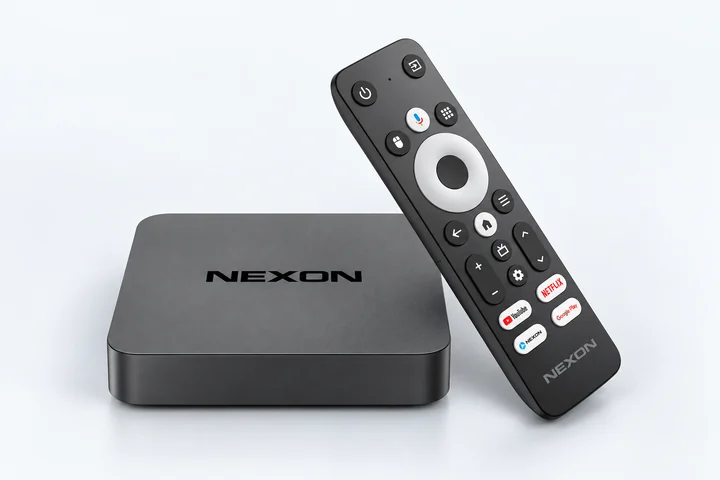
Echipament gata de utilizare, configurat pentru funcționarea fiabilă a NEXON Vision pe televizoare, monitoare și alte ecrane
NEXON Vision este integrat în firmware-ul playerului și pornește automat la pornirea dispozitivului. Nu trebuie să instalați aplicația sau să configurați Android
Conectați playerul la televizor sau monitor prin HDMI și adaptorul de alimentare inclus la o priză. Porniți dispozitivele și selectați intrarea HDMI corespunzătoare pe televizor.
Conectați playerul la internet prin Ethernet sau Wi-Fi.
După conectarea la internet, pe ecran va apărea automat un cod de asociere.
Înregistrați-vă sau autentificați-vă în cont. Deschideți Ecrane → Adăugare ecran și introduceți codul afișat pe televizor.
Nu aveți încă un player? Alegeți NEXON Player
NEXON Vision, pornirea automată, recuperarea și setările pentru funcționare continuă sunt configurate înainte de livrare.
Conectați televizoare, monitoare, ecrane profesionale și sisteme audio prin HDMI sau AV cu AUX / RCA.
Televizoarele compatibile se pot porni înainte de orele de lucru și se pot opri automat în afara programului stabilit.
NEXON Player este modelul practic pentru utilizare zilnică. NEXON Player Pro oferă performanță mai mare și un ceas RTC pentru redare precisă după program.
Dezactivați setările care pot opri playerul sau televizorul în timpul redării continue.
Utilizați adaptorul de alimentare inclus și o sursă permanentă de curent.
Pe televizor, dezactivați economisirea energiei, oprirea automată și oprirea în lipsa semnalului.
Dacă este disponibilă, activați pornirea automată după o întrerupere de curent și verificați dacă intrarea HDMI este restabilită.
După configurare, reporniți televizorul și verificați dacă NEXON Vision pornește din nou și continuă redarea după 10–15 minute fără utilizarea telecomenzii.